
Japanese Forms and Applications: Name Fields, Dates, Seals, and Furigana
The reader can complete and interpret Japanese forms by recognizing name fields, furigana fields, dates, seals, address order, and administrative labels.
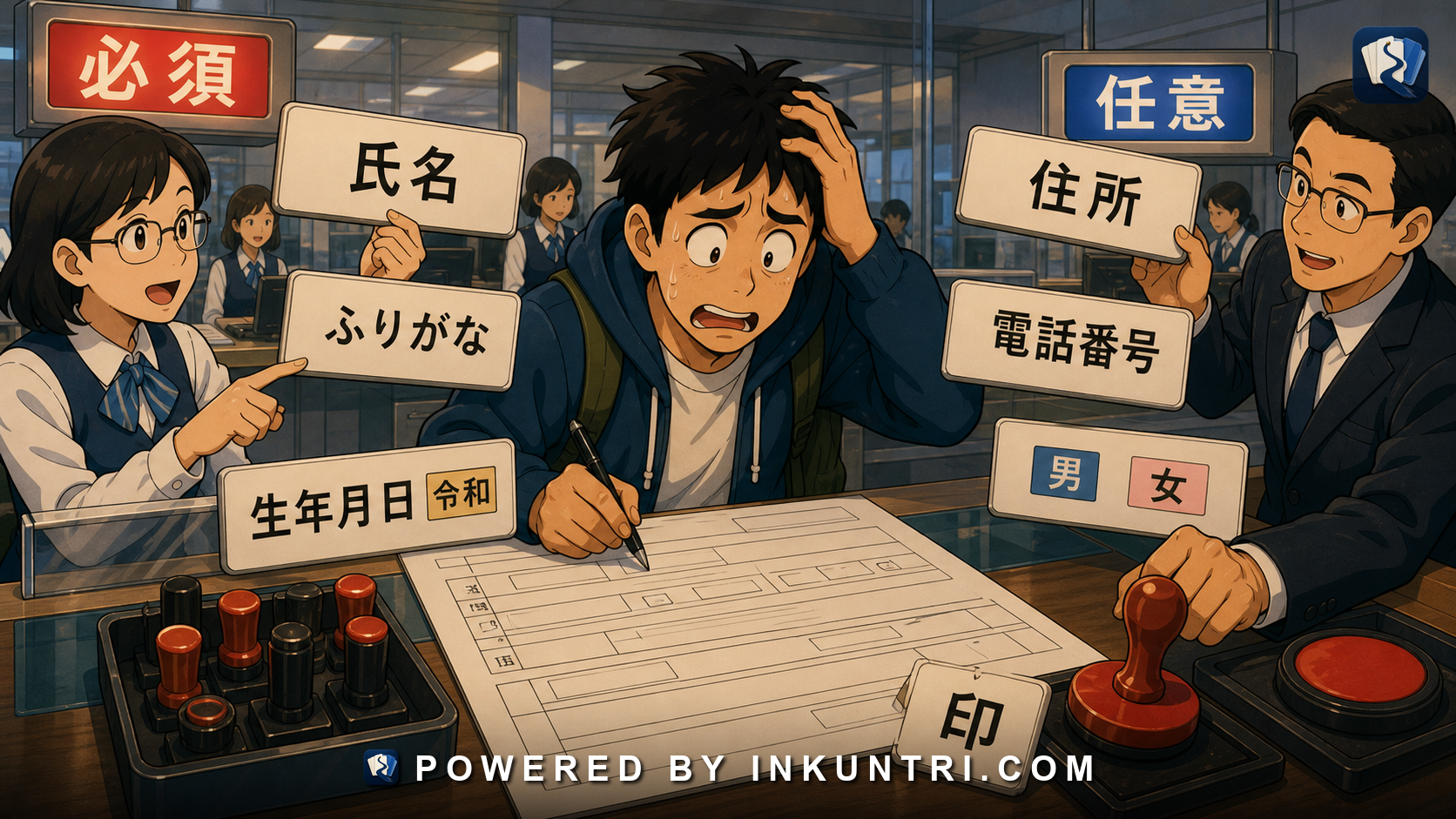
Core examples: 氏名, ふりがな, 生年月日, 印, 住所, 令和, 必須, 任意, 男/女, 電話番号.
Forms are their own language
Japanese forms can be hard even when the vocabulary is basic. The problem is not just words. It is conventions.
A form may ask for your name in kanji, your reading in furigana, your address in Japanese order, your date of birth in era years, your phone number in half-width digits, your seal or signature, your gender, your emergency contact, and a checkbox marked required or optional.
The learner may know all the words separately and still freeze.
The key principle is:
Japanese forms are structured administrative language. You must read the field type, the expected script, the date system, and the required/optional status.
A form is not prose. It is a machine for collecting identity data.
氏名: name field
氏名 means full name. It usually asks for your legal or official name.
You may also see:
お名前 name
姓 family name
名 given name
氏 family name
名 given name
Japanese forms may expect family name first, given name second. Foreign residents may need to match the spelling on residence cards, passports, bank accounts, or official records.
Learner action: use the exact official form required by the context. Do not casually reorder or abbreviate names on official forms.
ふりがな / フリガナ: reading field
Japanese forms often ask for name reading:
ふりがな フリガナ
If the label is ふりがな, hiragana may be expected. If it is フリガナ, katakana may be expected, especially in banking, official, or database contexts.
Example:
氏名: 山田 太郎 フリガナ: ヤマダ タロウ
For foreign names, the form may require katakana approximation. Use the version that matches your official records when possible.
Learner action: always check script. A correct reading in the wrong script may be rejected.
生年月日: date of birth
生年月日 means date of birth.
You may see fields for:
- 年 — year
- 月 — month
- 日 — day
Forms may use Western calendar years:
1990年5月10日
or Japanese era years:
平成2年5月10日 令和8年5月24日
Common era names:
- 昭和
- 平成
- 令和
A form may ask you to select era from a dropdown, then enter year.
Learner action: verify whether the form expects Western year or era year. Do not guess.
住所: address
住所 means address.
Forms may split address into parts:
郵便番号 都道府県 市区町村 町名・番地 建物名・部屋番号
This follows Japanese address hierarchy.
Common labels:
- 郵便番号 — postal code
- 都道府県 — prefecture/metropolis
- 市区町村 — city/ward/town/village
- 番地 — address number
- 建物名 — building name
- 部屋番号 — room number
Learner action: do not paste the whole address into the wrong field if the form expects separated fields.
電話番号 and contact fields
電話番号 means phone number.
You may also see:
携帯電話 mobile phone
メールアドレス email address
連絡先 contact information
緊急連絡先 emergency contact
Forms may require half-width digits for phone numbers:
半角数字で入力してください
They may reject hyphens or require them depending on the system.
Learner action: when input fails, check width, hyphens, and field type before assuming the number is invalid.
必須 and 任意: required and optional
Two of the most useful form words:
必須 required
任意 optional
You may also see:
必須項目 required field
入力必須 input required
任意入力 optional input
Color may also signal required fields, but do not rely only on color.
Learner action: learn 必須 early. It appears everywhere.
印, はんこ, and signatures
印 marks a place for a seal or stamp. Japan has a strong tradition of personal and institutional seals, though signatures and digital alternatives are increasingly common in many contexts.
You may see:
印 seal/stamp here
押印 affix seal
署名 signature
サイン signature/sign
署名又は押印 signature or seal
In some contexts, a personal seal may be required. In others, a handwritten signature is acceptable. In digital forms, the seal may be irrelevant or replaced by checkbox agreement.
Learner action: do not assume 印 always means you personally need a seal in every modern context, but recognize it as a stamp/seal field.
Gender fields: 男 / 女 and beyond
Traditional forms may ask:
性別 gender/sex
with options:
男 male
女 female
Some modern forms include additional options or avoid the field unless necessary. Practices vary by institution and context.
Learner action: recognize the labels, and answer according to the form’s purpose and your official documentation when required.
Checkboxes and circles
Japanese forms often use checkboxes, circles, or instructions like:
該当するものに〇をつけてください。 Circle the applicable item.
□にチェックを入れてください。 Check the box.
いずれかを選択してください。 Please select one.
You may see:
はい / いいえ yes / no
有 / 無 yes/exists / no/none
可 / 不可 possible/allowed / not possible/not allowed
Learner action: forms often use compact binary labels. Learn them as administrative vocabulary.
Consent and agreement language
Forms may include consent sections:
同意します I agree
同意しません I do not agree
個人情報の取扱い handling of personal information
利用規約 terms of use
プライバシーポリシー privacy policy
上記内容に同意します I agree to the above content
Learner action: do not click through blindly when stakes are high. Administrative Japanese often hides important obligations in compact text.
Example bank walkthrough
氏名
Full name field.
Learner action: use official name order and spelling.
ふりがな
Name reading field, often hiragana.
Learner action: check whether the form requests hiragana or katakana.
生年月日
Date of birth.
Learner action: identify year system: Western or era.
印
Seal/stamp field.
Learner action: determine whether seal, signature, or digital confirmation is required.
住所
Address.
Learner action: parse by Japanese hierarchy.
令和
Current era name used in official dates.
Learner action: know how to convert when needed.
必須
Required.
Learner action: do not skip.
任意
Optional.
Learner action: fill only if relevant.
男 / 女
Male/female labels.
Learner action: recognize as form options.
電話番号
Phone number.
Learner action: watch for half-width digit requirements.
Form-reading workflow
When filling a Japanese form:
- Identify field label: 氏名, 住所, 生年月日, 電話番号, etc.
- Check script requirement: kanji, hiragana, katakana, full-width, half-width.
- Check required status: 必須 or 任意.
- Check date system: Western year or era year.
- Check name order: family/given or full name field.
- Check address split: postal code, prefecture, city/ward, building.
- Check contact format: hyphens, digits, email.
- Check seal/signature: 印, 押印, 署名.
- Read consent text: especially privacy and terms.
- Review before submitting: spelling, variants, width, date, phone.
A strong tool for this article would annotate a Japanese form.
Suggested functions:
- Hover labels: Explain 氏名, ふりがな, 生年月日, 住所, 印.
- Script validator: Hiragana vs katakana vs kanji vs alphanumeric.
- Era converter: Western year ↔ 昭和/平成/令和.
- Address splitter: Fill 郵便番号, 都道府県, 市区町村, 番地, 建物名.
- Required-field detector: Highlight 必須 and 任意.
- Seal/signature guide: Explain 印, 押印, 署名.
- Sample filled form: Show correct entries for a fictional person.
- Error simulator: Wrong width, missing furigana, invalid date.
Final rule
Japanese forms are not just vocabulary tests. They are administrative systems.
Read the label, script requirement, date system, required/optional status, and identity convention. Preserve official spellings. Watch width. Respect furigana fields. Know when a seal or signature is expected.
If you can read forms, you can operate in Japan more safely and independently.
Related reading
National Language Policy and the Idea of Kokugo
The reader can understand kokugo as a national-language idea with educational, political, and cultural consequences.
Why Japanese Mixed Script Is a Reading System, Not a Historical Accident
The reader can read Japanese mixed-script text as a designed system of roles rather than as a messy accumulation of scripts.
Japanese Wedding Language: ご祝儀, 披露宴, 招待状, 内祝い
The reader can understand Japanese wedding language around gift money, receptions, invitations, return gifts, speeches, and formal register.
How Japanese Names Encode Era, Family, and Aesthetics
The reader can read Japanese names as historical, family, aesthetic, and generational signals rather than simple labels.
How to Build a Kanji Component Notebook That Respects Japanese Readings
The reader can build a kanji component notebook that uses radicals and components without pretending they determine Japanese meanings or readings mechanically.
Tracking Japanese Listening Progress With Real Audio
The reader can track Japanese listening progress using real audio, transcripts, comprehension targets, error categories, and repeated measurement.